CRM Data Quality During Growth: A Complete Guide
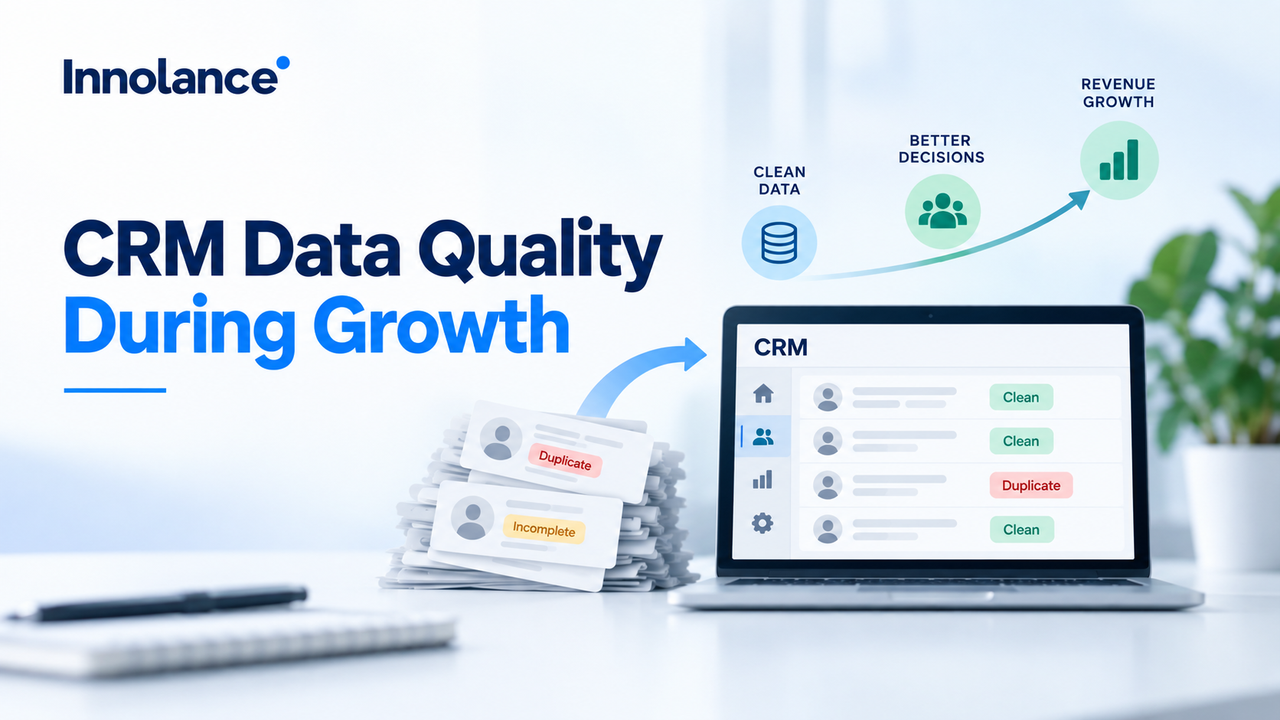
Learn why CRM data quality declines during growth and how governance, workflow fixes, and duplicate prevention can keep customer data reliable.
Executive Summary
CRM data quality often becomes harder to maintain as revenue organizations grow. More users, records, workflows, integrations, and reporting requirements increase the number of ways customer information can become duplicated, incomplete, outdated, or inconsistent.
For revenue operations leaders and CRM administrators, maintaining CRM data quality requires more than periodic cleanup. Sustainable data quality depends on clear standards, reliable workflows, defined ownership, automation, and governance that scale with the business.
Direct Answer: CRM data quality degrades during growth because increasing data volume and organizational complexity expose weaknesses in data entry, record ownership, integrations, workflow consistency, and governance. Revenue teams can prevent these problems by standardizing how CRM data is created and updated, controlling duplicates, automating validation, and continuously monitoring data quality.
Why Does CRM Data Quality Decline During Growth?
A CRM that works effectively for a small revenue team may behave very differently as the organization scales.
New sales representatives create records. Marketing introduces campaigns and lead sources. Customer success adds new information. Additional platforms begin synchronizing data with the CRM.
Without scalable CRM data management, these changes can create inconsistent field values, missing information, outdated records, and conflicting definitions.
The problem is not growth itself. The problem is allowing CRM processes to grow without equally strong standards and controls.
Key Takeaway: CRM scalability requires data processes to mature alongside the organization.
What Causes CRM Data Quality Problems?
Several operational issues commonly affect customer data accuracy during growth:
- Inconsistent data-entry practices
- Duplicate contacts and companies
- Missing required information
- Unclear record ownership
- Outdated lifecycle or opportunity stages
- Conflicting property definitions
- Manual imports and spreadsheet updates
- Integration and synchronization errors
These issues can spread across reporting, automation, segmentation, lead routing, forecasting, and customer communication.
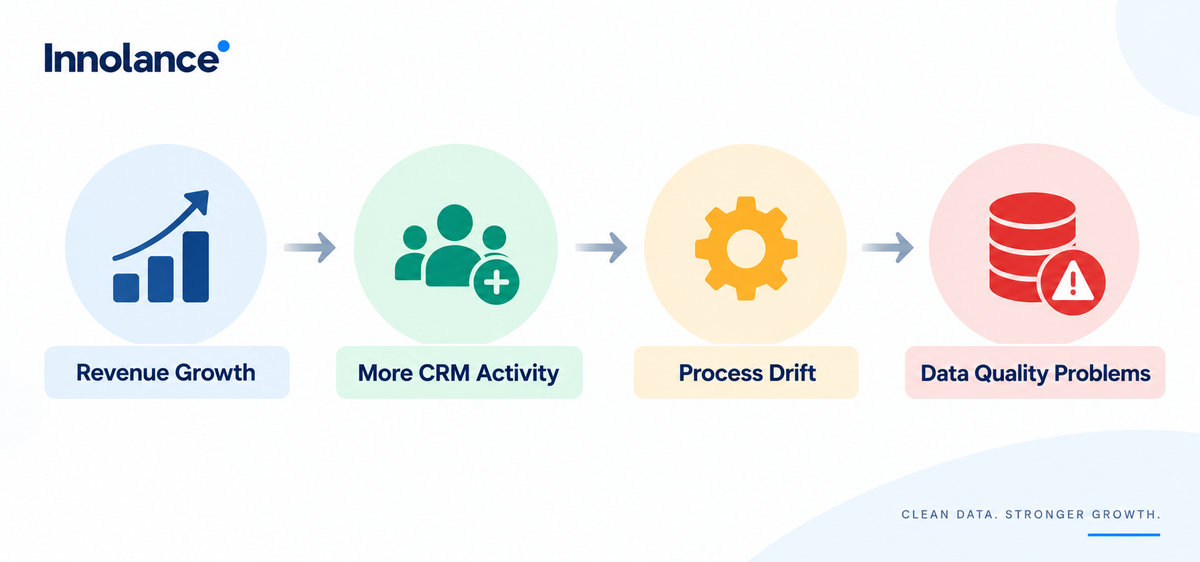
How Does Process Drift Reduce Customer Data Accuracy?
Processes that begin with clear rules can gradually become inconsistent as teams expand.
New employees may interpret CRM fields differently. Teams may create workarounds. Required information may be skipped to save time. Existing workflows may no longer reflect how the organization sells.
This process drift creates variation in the data behind CRM reports.
For example, if sales representatives interpret opportunity stages differently, pipeline reporting can appear complete while representing inconsistent business conditions.
Strong CRM governance keeps definitions and workflows aligned as operating practices change.
How Do Integrations Create Reporting Errors?
Growing B2B organizations often connect CRM platforms with marketing automation, enrichment, sales engagement, customer success, billing, and analytics tools.
Problems emerge when multiple systems update the same information or use different definitions.
A reporting error may therefore originate far upstream from the dashboard displaying it. An outdated field could come from a synchronization rule, an integration mapping, or another system overwriting a newer value.
For stronger CRM scalability, teams should define which system owns critical information and how synchronization conflicts are resolved.
What Should Revenue Operations Teams Monitor?
Data quality should be monitored continuously rather than reviewed only after reporting problems appear.
Useful indicators include Duplicate Rate, Required Field Completion, Data Freshness, Record Ownership Coverage, Integration Errors, Invalid Values, and Reporting Exceptions.
Monitoring trends helps leaders recognize deterioration early. A rise in missing fields after rapid hiring, for example, may reveal an onboarding or workflow problem.
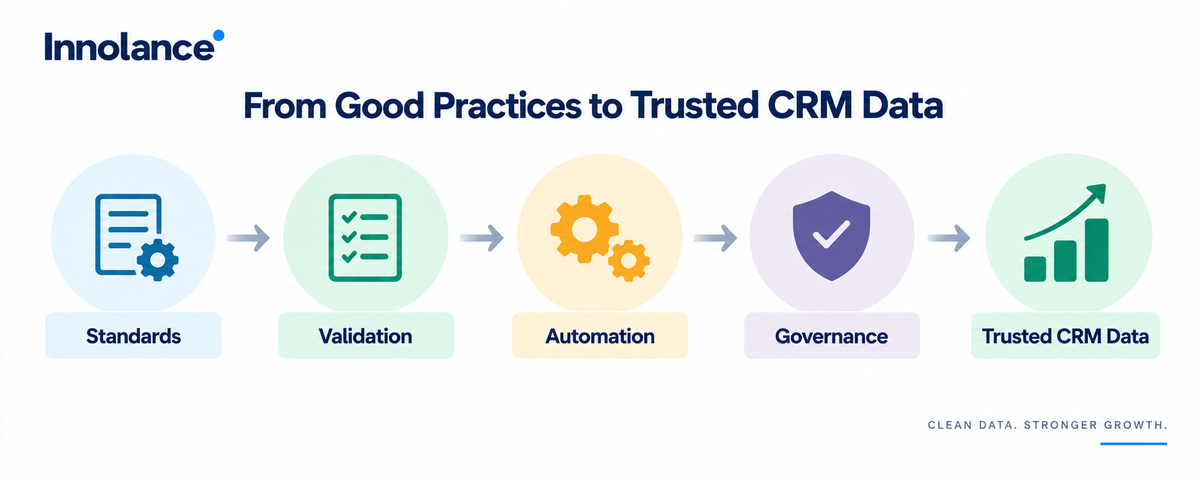
How Can Teams Prevent CRM Data Quality Problems?
Start with prevention rather than cleanup.
Define critical CRM fields and establish clear ownership. Standardize record creation and updates. Validate important information at appropriate workflow stages. Automate repetitive updates where business rules are clear, and regularly review integrations that modify CRM records.
Governance should establish who owns important data definitions, who can change them, and how exceptions are resolved.
Innolance approaches CRM optimization from this operational perspective connecting CRM configuration, workflow design, automation, and data visibility to help growing organizations create more dependable revenue information.
What Should Revenue Operations Leaders Do Next?
Choose one recurring CRM data problem and trace it back to its source.
Determine where the information enters the CRM, who or what updates it, which workflow governs it, and where inconsistency begins.
A practical improvement sequence is:
Detect → Trace → Standardize → Automate → Monitor
Practical Tip: Fix the workflow producing unreliable data before repeatedly cleaning the resulting records.
Conclusion
Maintaining CRM data quality during growth requires more than cleaner databases. It requires scalable processes for creating, updating, validating, and governing customer information.
By strengthening CRM data management, preventing duplicates, controlling process drift, and monitoring integrations, revenue operations leaders can improve customer data accuracy and reduce reporting errors.
The result is a CRM foundation that can scale with the organization while providing more dependable information for automation, reporting, and revenue decisions.